Ingredients and Recipes
Ingredients and recipes help estimate ingredient consumption from sales activity. For the recorded Current Amount of tracked dishes, use Stock. Sales do not reduce Stock amounts yet.
For example:
- If a dish uses specific ingredient quantities per order, Selflane can estimate total usage over a selected period.
- This supports prep planning, purchasing, and variance checks.
Ingredients
You can track only key ingredients (for example proteins) or build a full inventory model.
Add an ingredient
- Open
Settings>Menu>Ingredientsin the Back Office . - Click
+. - Enter a unique
NameandID. Both are required. - Enter
Unit of Measurement, such as lb, oz, or each, andPrice. - Choose a
Base unitif you need unit and pack conversions. - Click
Save.
Set base units and packs
The Base unit is the unit used for counting. Once set, it cannot be cleared.
- Open the ingredient and choose its
Base unit. - Under
Packs, clickAdd pack. - Name the pack, such as
case, and enter its quantity and unit. For example, one case holds 24 each. - Click
Save.
Use a positive quantity and a unique pack name. A pack’s unit must be the same kind as the base unit: weight, volume, or count.
If you switch to a different kind of base unit, enter the requested conversion. Saved packs are converted when you save. Save pending pack edits before switching kinds of unit.
If the ingredient itself is different, create a new ingredient instead of converting the old one.
Archive or restore an ingredient
Deleting an ingredient archives it. Archived ingredients are hidden from the list, but existing recipes keep their names with an archived label.
Turn on Show archived to find an archived ingredient, then click its Restore button. If a new ingredient conflicts with an archived name or ID, restore the archived ingredient instead.
Recipes
Recipes connect ingredients to dishes.
Add ingredients to a dish recipe
- Open
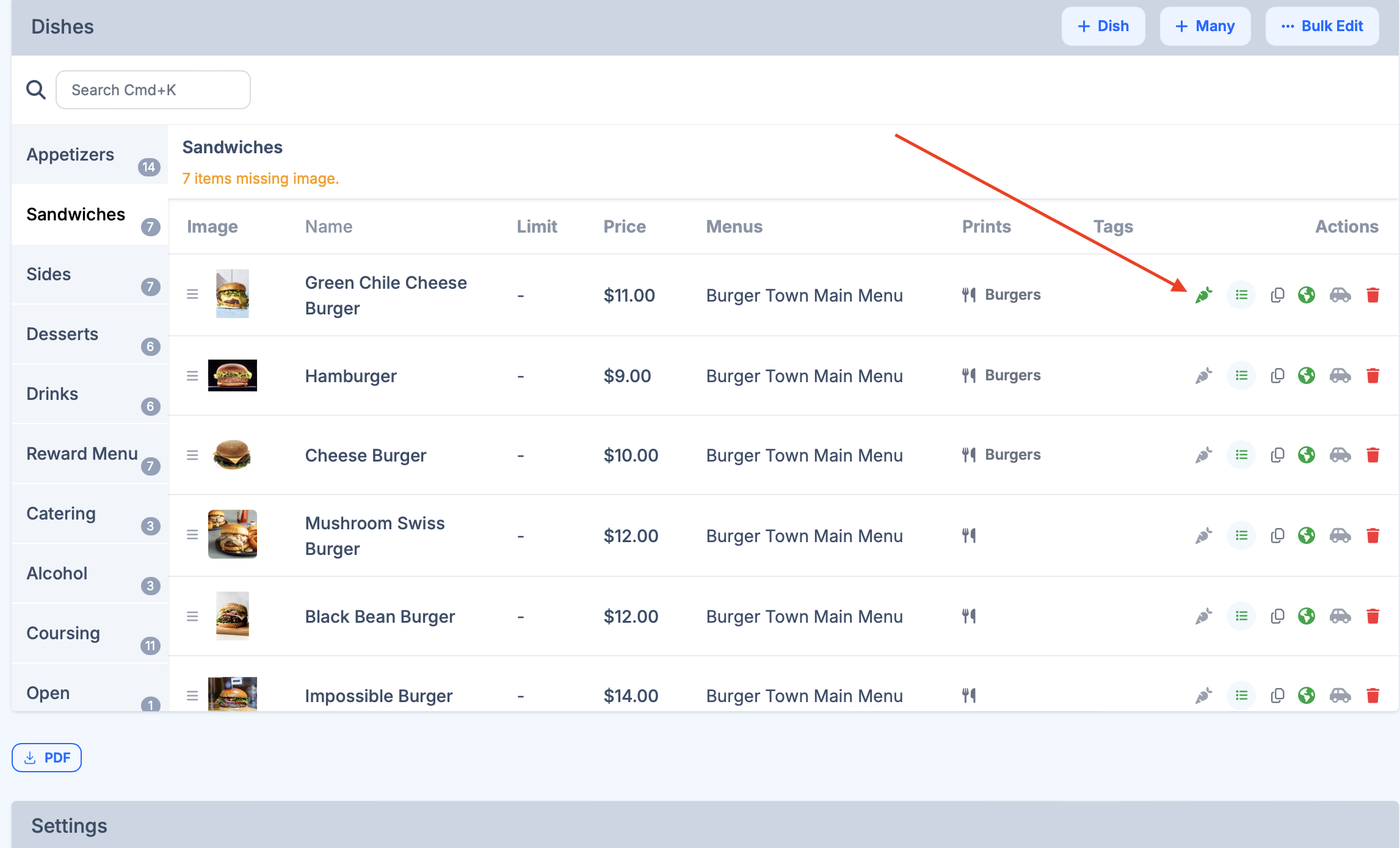
Settings>Menu>Menusand findDishes. - Open recipe editor from the dish row.
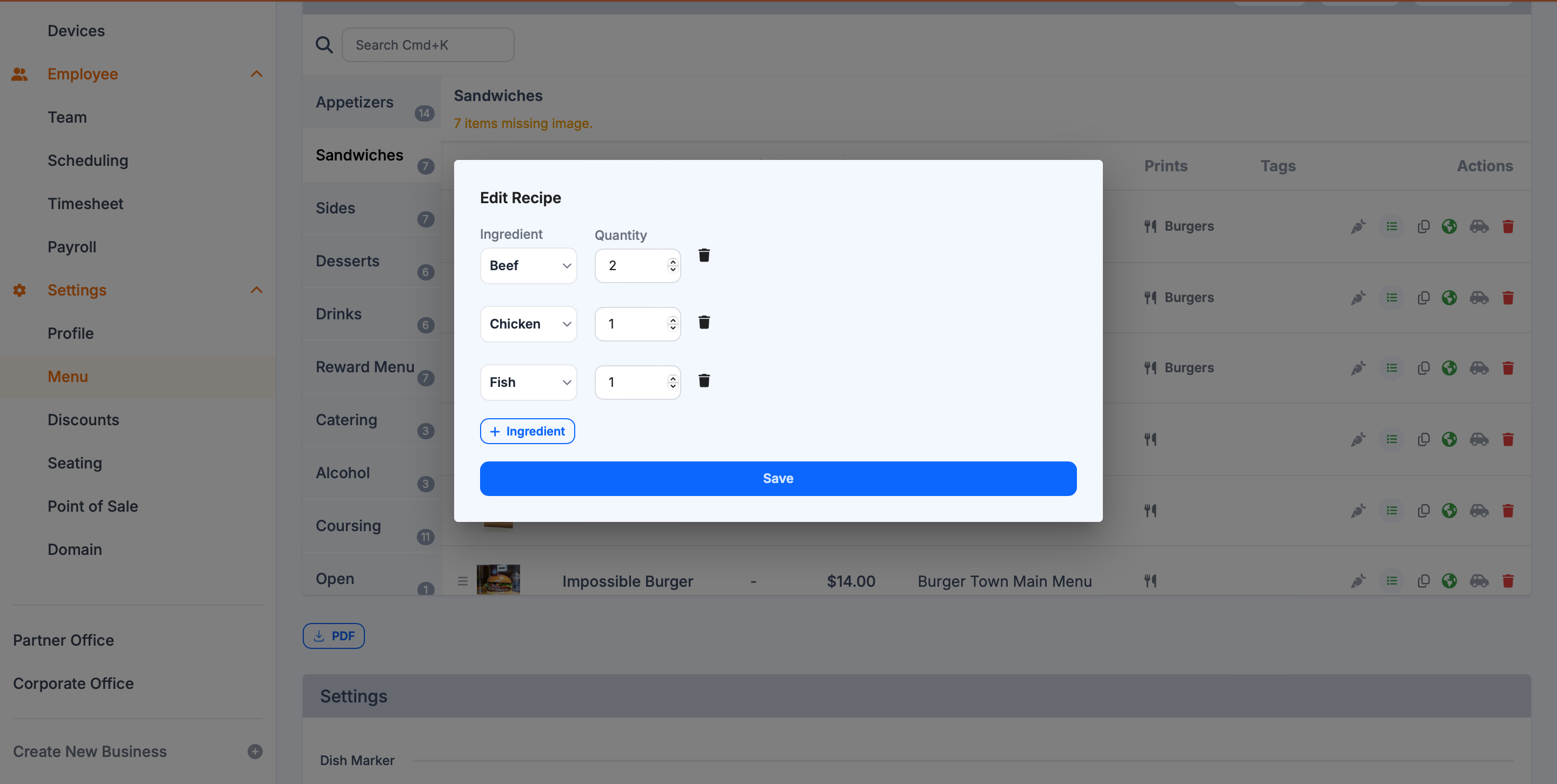
- Add each ingredient used in that dish.
- Enter quantity/unit for each ingredient.
- Save when complete.
Ingredient reports
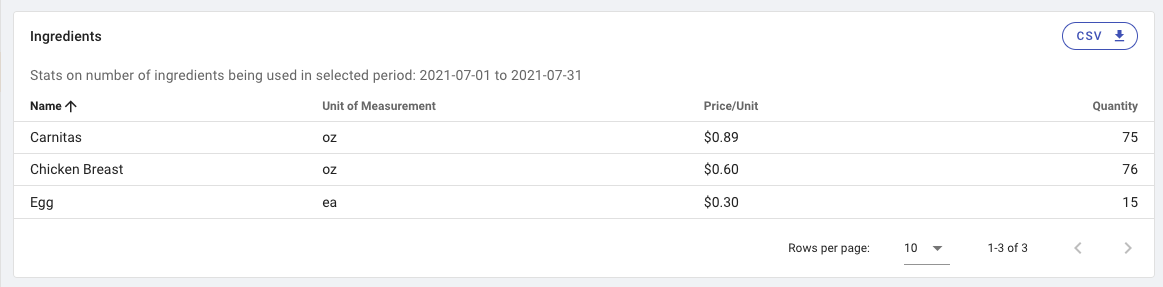
Use reports to review estimated consumption by date range.
- Open Sales Stats and select date range.
- Go to the Ingredients section.
- Adjust rows-per-page if needed.
- Click
CSVto export.
Best practices
- Start with your highest-cost or highest-variance ingredients.
- Standardize units before entering recipes.
- Review usage trends weekly to improve purchasing accuracy.