Printer
Check the printer’s paper, cover, power, and network connection when a ticket does not print.
If a kitchen printer runs out of paper
In Selflane POS 7.7.3 or later, Star and EPSON kitchen tickets stay queued when the printer is out of paper or its cover is open.
- Refill the paper if needed.
- Close the cover fully.
- Wait for queued tickets to print before manually reprinting the order.
- If the ticket still does not print, check Network troubleshooting and Online printing.
Reset the Star TSP100 printer
To perform a soft reset on a Star printer, follow these steps:
- Open the printer’s paper cover.
- Press and hold the [FEED] button on the front of the printer.
- Continue holding: the [FEED] button until the Power LED (blue) and the Error LED (red) begin to flash simultaneously.
- Release: the [FEED] button.
- Close: the paper cover.
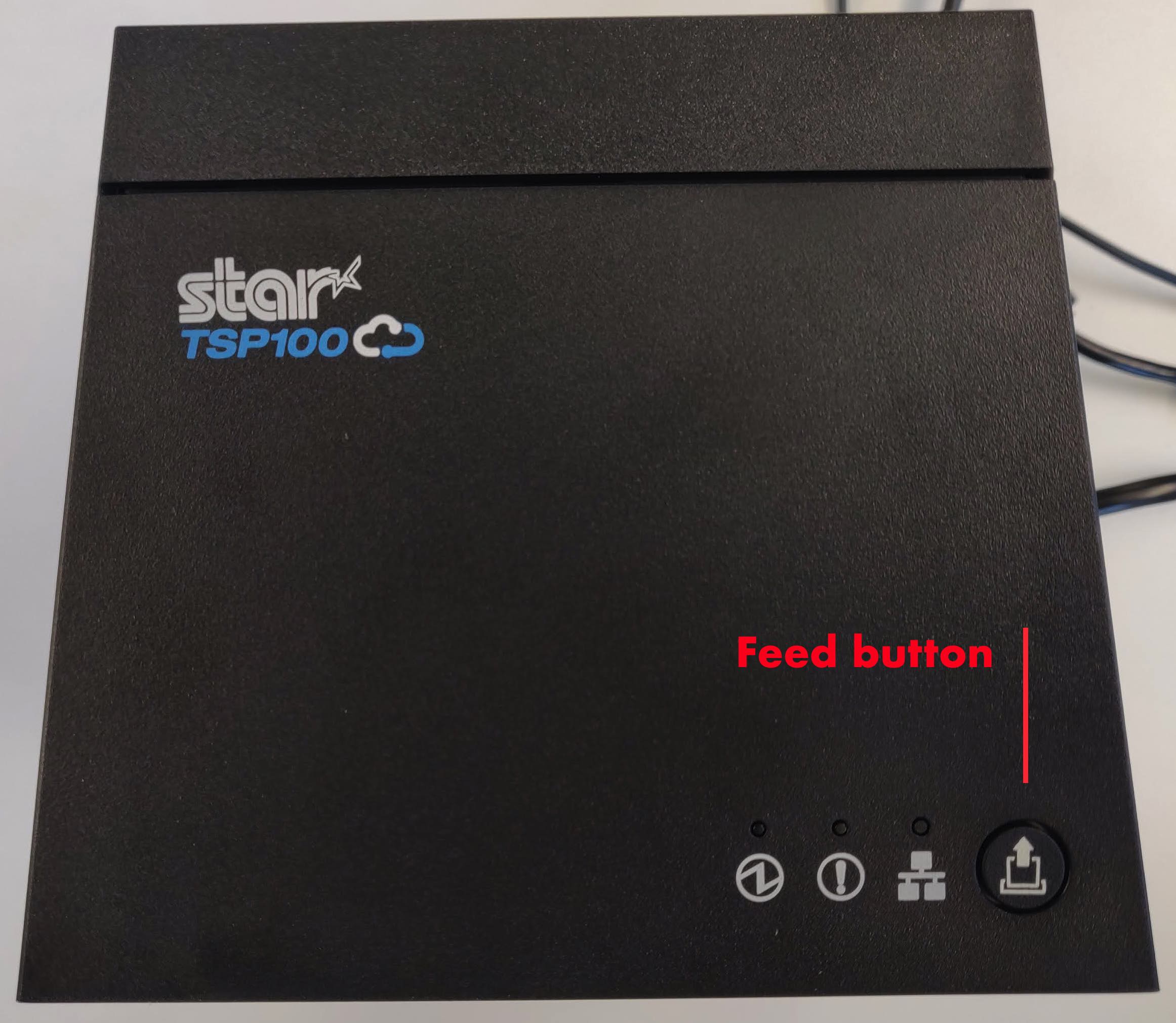
Star TSP100 WiFi Printer
For a Star Wifi printer there is a more extensive set up process detailed here https://starmicronics.com/help-center/knowledge-base/how-to-setup-the-mcw10-wireless-lan-unit/?srsltid=AfmBOoo1VZwfQ1hLFBKDKnuOdGCOveIH_3mQhRun0Gbou9bXWD-oySKI
Last updated on