Third-Party Delivery
Use DoorDash Drive or Uber Direct to deliver first-party orders placed through Selflane or your white-label website. You do not need your own delivery team.
Selflane connects to DoorDash Drive and Uber Direct through First Delivery. These delivery services do not connect your DoorDash Marketplace, Uber Eats, or Grubhub accounts.
Looking for marketplace or AI-platform orders that flow into Selflane POS? Use Third-Party Ordering instead.
Prerequisites
- A validated Stripe account — Payment Settings
Setup
1. Connect on-demand courier delivery
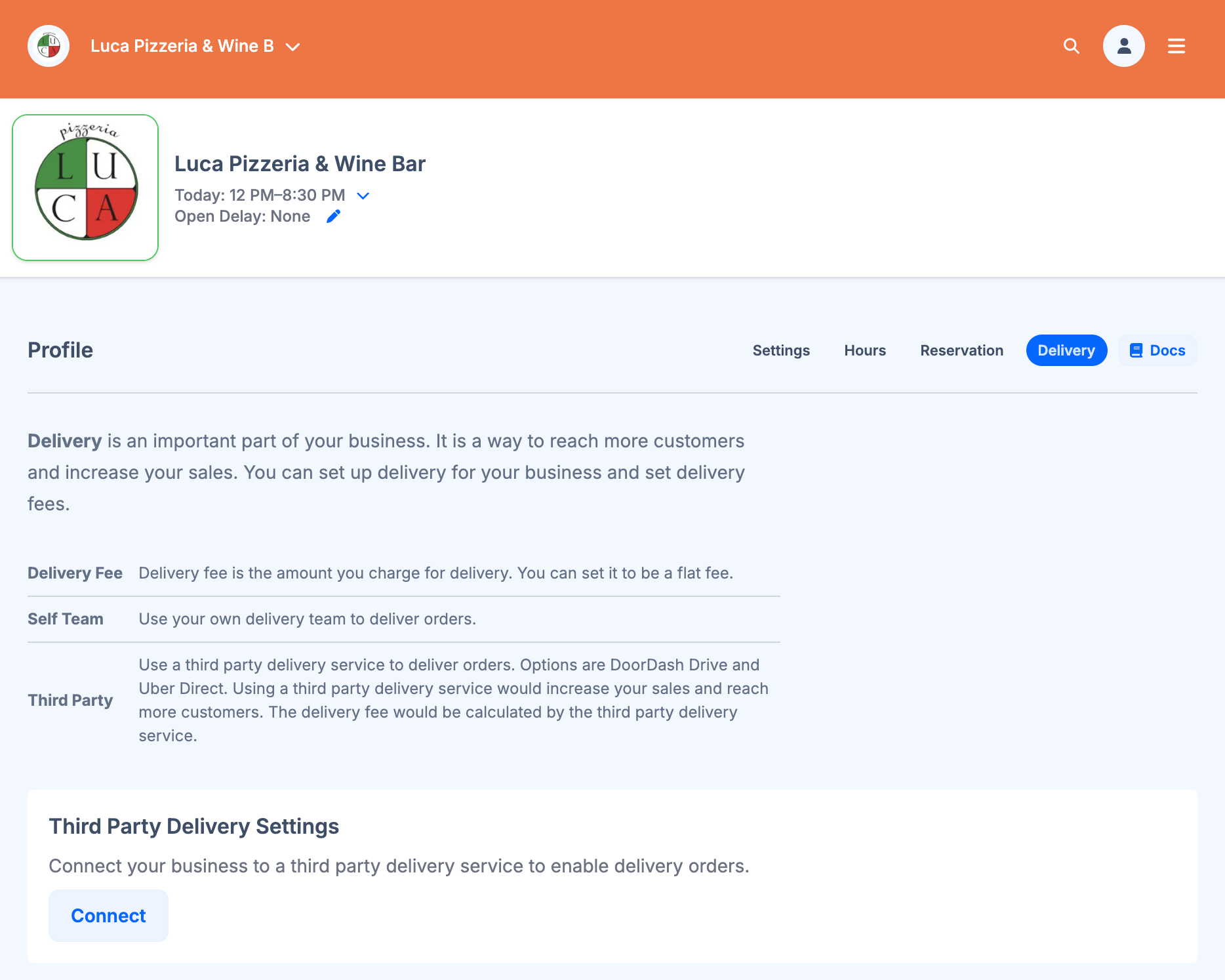
Go to Settings → Profile → Delivery and click Connect in the On-Demand Courier Delivery section.
2. Select a Delivery Territory
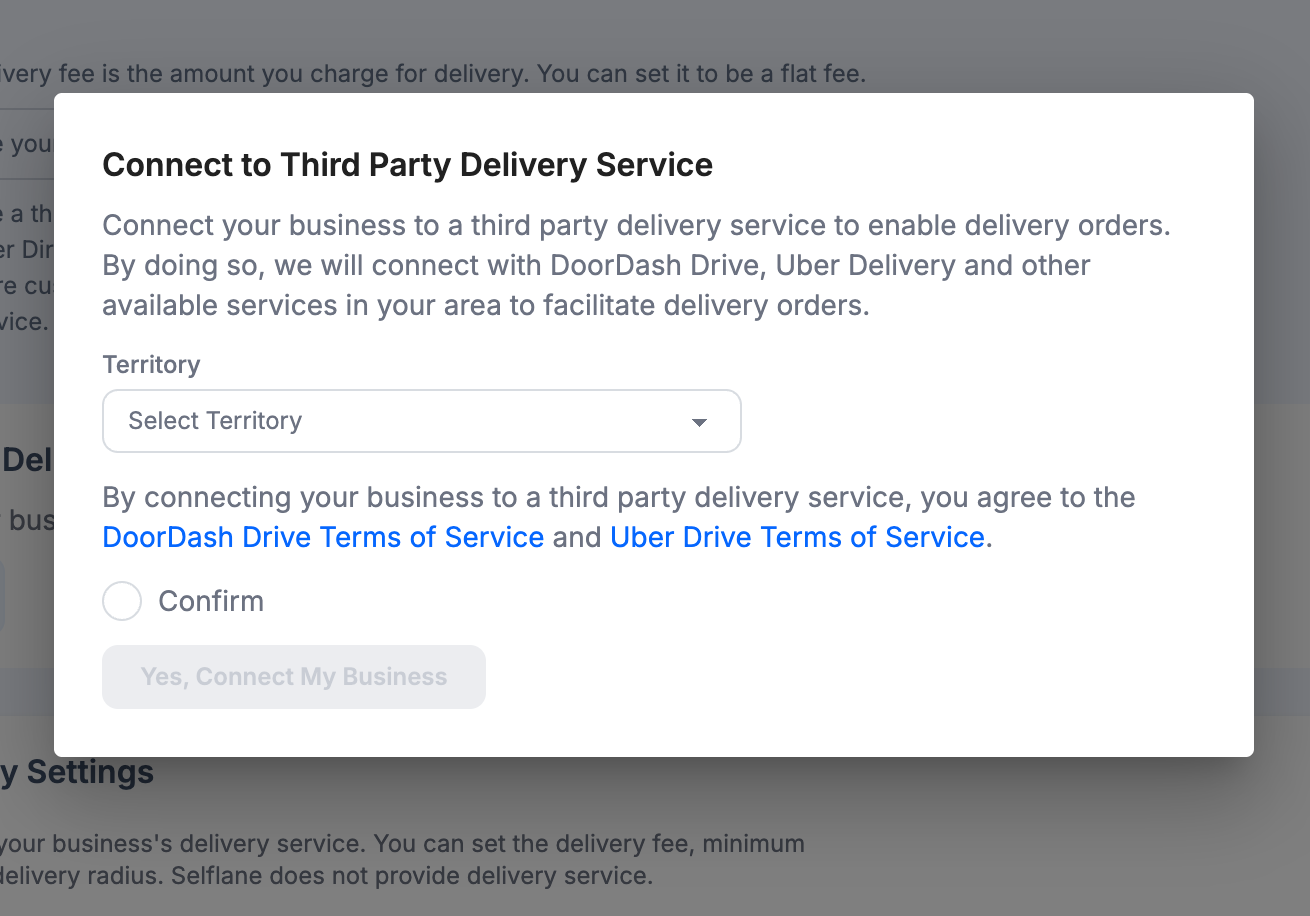
Select a delivery territory that matches your timezone, then agree to the DoorDash Drive and Uber Direct terms of service.
3. Configure Delivery Settings
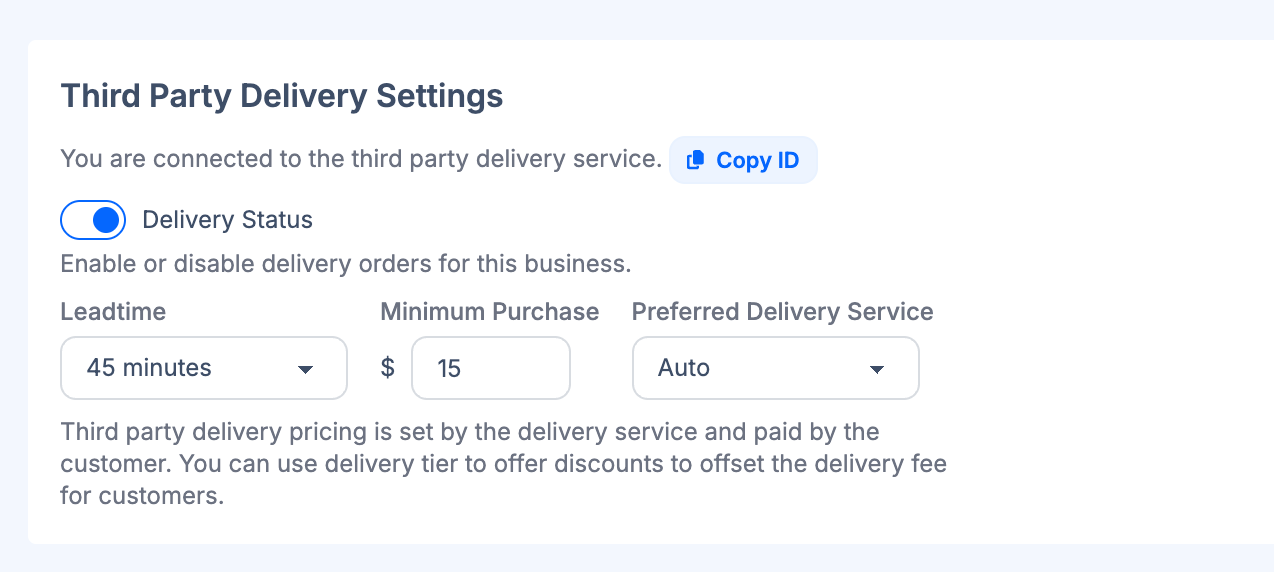
Once connected, you can configure the following:
- Enable Delivery — toggle delivery orders on or off without disconnecting from the service.
- Minimum Purchase — minimum order subtotal required for delivery ($15–$50).
- Preferred Courier Provider — choose
Best available provider,DoorDash Drive, orUber Direct.
For customer-placed online orders, delivery pricing is set by the provider and paid by the customer at checkout. New courier orders created on the POS use a separate restaurant-paid option. See Courier delivery on the POS for its prepaid-account requirement and fees.
4. Customer Checkout Pages
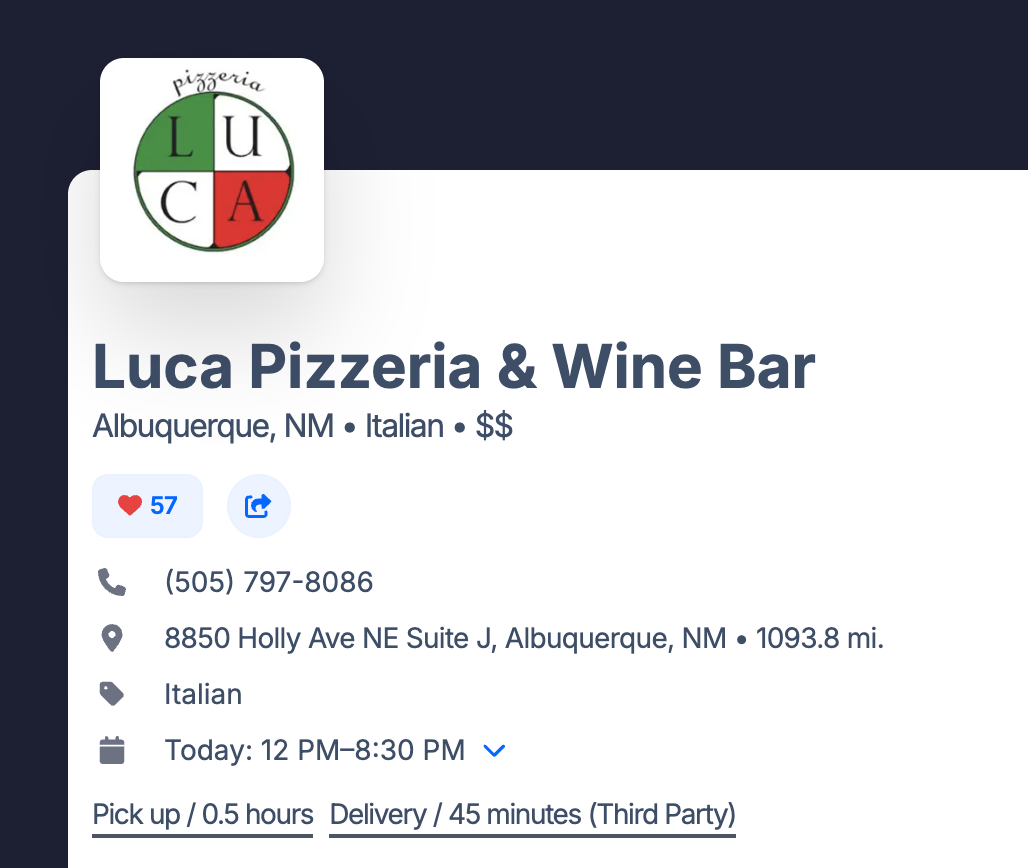
The customer checkout pages will be displayed with the third-party delivery service.
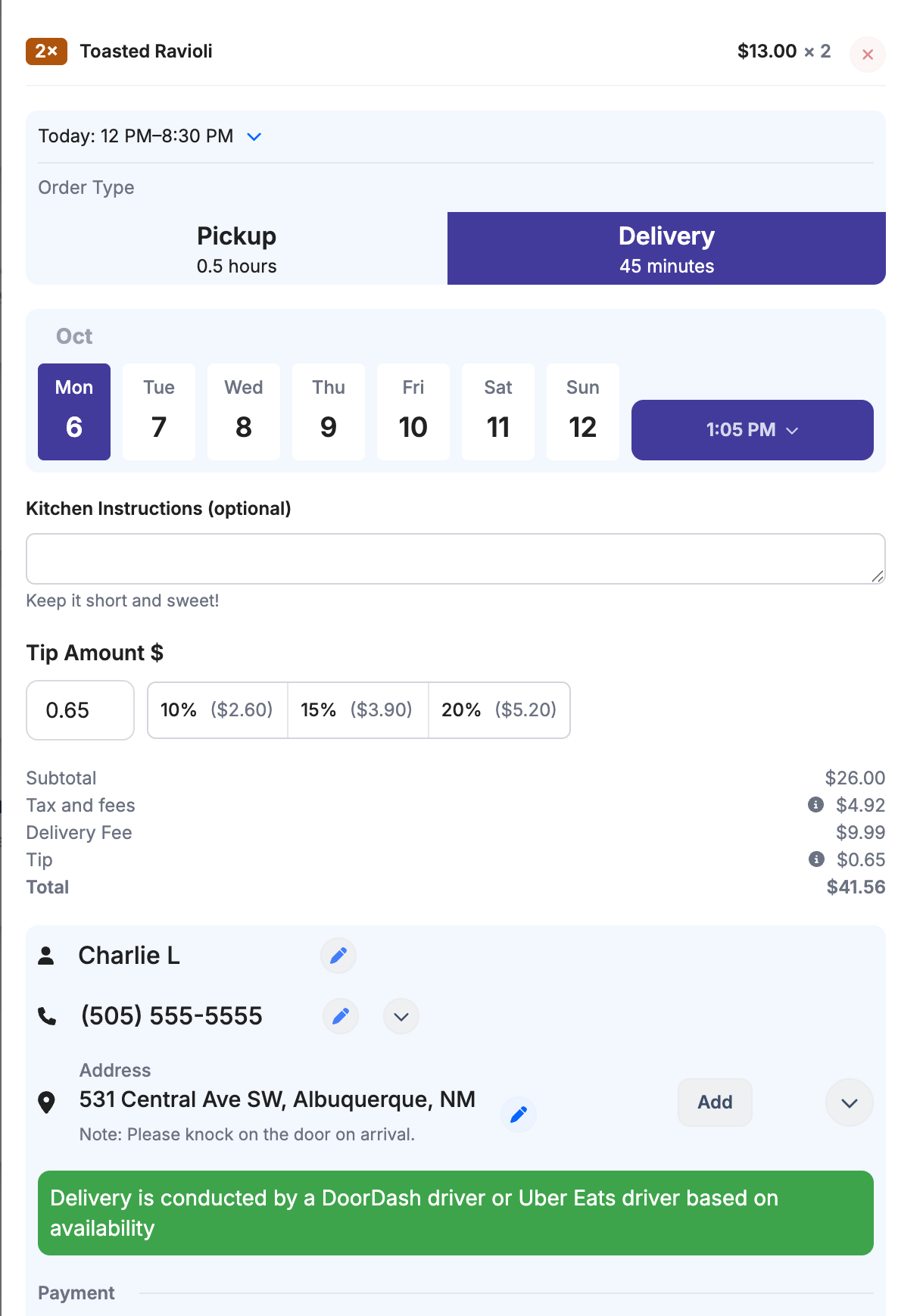
After Order is Placed
The order will be automatically entered into the Selflane POS system and automatically printed to the printer(s).
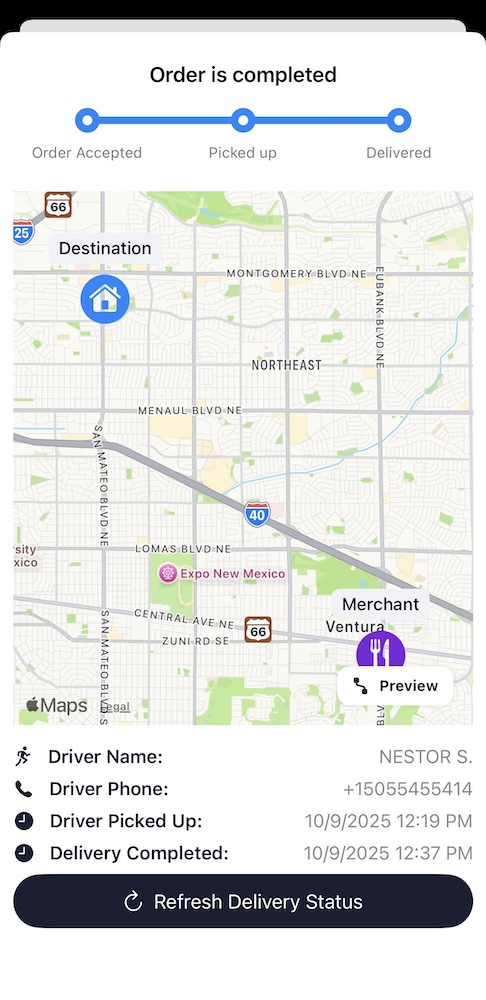
Tracking Orders
You can track the orders from the Orders page in the Selflane POS system.
FAQ
What is the cost of delivery?
For an online delivery order, the customer sees the provider delivery fee and driver tip at checkout. For a new courier order created on the POS, your restaurant pays from its prepaid account instead. Review the POS courier guide before quoting a customer a delivery cost.
How is the delivery fee calculated?
We quote the delivery fee from the third-party provider based on the distance and the order amount. The delivery fee is calculated based on the driving distance between the restaurant and the customer’s address.
How do I add a service fee for my staff?
While tips on pickup orders go to your restaurant staff, delivery order tips are directed to the delivery drivers. To ensure your staff still receives compensation for delivery orders, you can add a dedicated delivery service fee through Settings -> Profile -> Service Items . This fee will be retained by your restaurant for staff compensation.
How does Selflane delivery compare to DoorDash marketplace and UberEats?
Selflane delivery offers a key advantage: you maintain direct relationships with your customers while accessing professional delivery services. Unlike traditional marketplaces where you pay high commissions, Selflane lets you utilize their delivery infrastructure (paid for by the customer) without surrendering a percentage of your sales.
For businesses currently using DoorDash or UberEats, we recommend enabling Selflane delivery alongside these services. This allows you to compare revenue and costs across channels to make informed decisions about your delivery strategy.
Can I offer delivery promotions to attract more customers?
Yes! Through the delivery settings page , you can configure tiered pricing to reduce delivery costs for larger orders. This incentivizes customers to increase their order size while helping offset delivery expenses. It’s an effective way to drive higher average order values while providing value to your customers.
Related links
- Courier delivery on the POS — create restaurant-paid courier orders or convert eligible online Pick Up orders.
- Third-Party Ordering — receive marketplace orders in the POS.